Find
Click the icon and it checks robots.txt plus the common sitemap paths, removes duplicates, and follows sitemap indexes down to their children with per-child and total URL counts. No setup and no manual searching.

XML Sitemap Inspector finds, displays and validates every XML sitemap a website publishes, right from your toolbar.
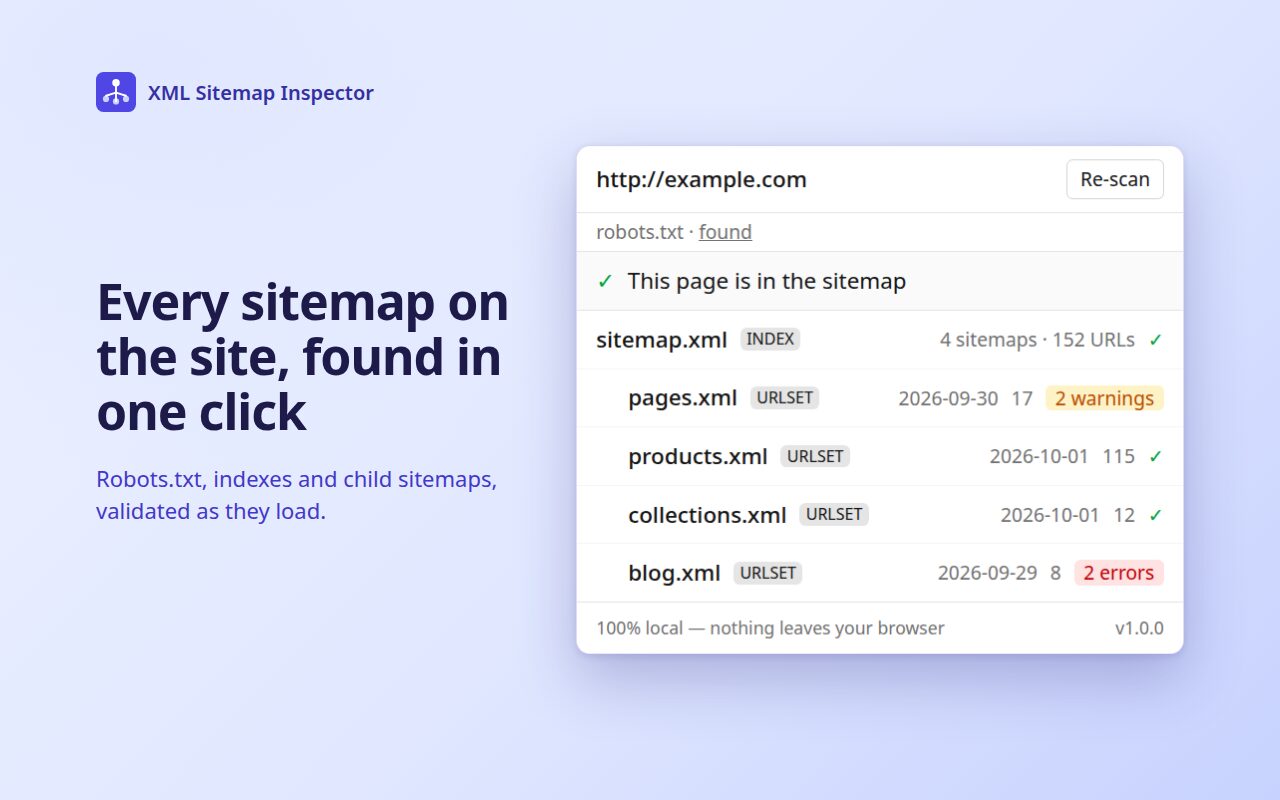
Click the icon and it checks robots.txt plus the common sitemap paths, removes duplicates, and follows sitemap indexes down to their children with per-child and total URL counts. No setup and no manual searching.
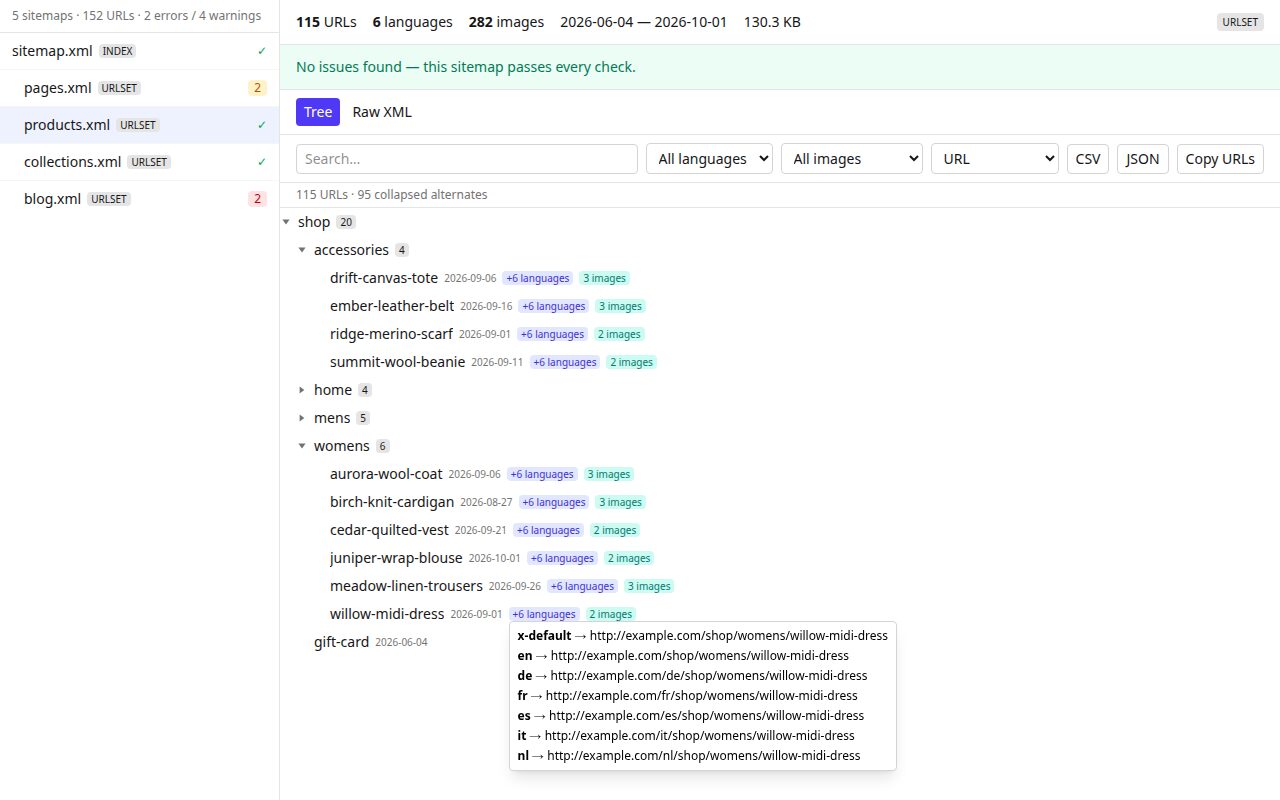
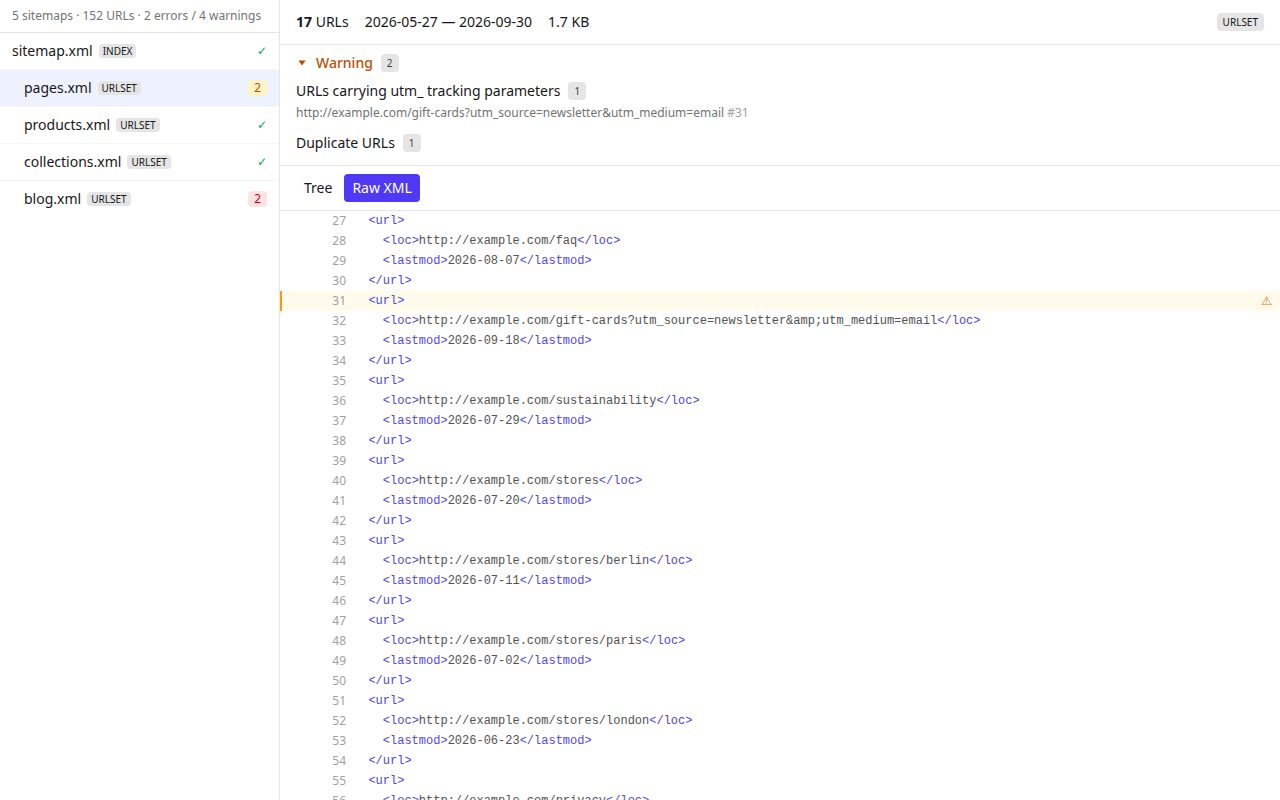
Open any sitemap in a full-tab viewer with a collapsible path tree, search and filters, CSV/JSON export, and a raw XML mode with line numbers and syntax highlighting. Sitemaps with dozens of hreflang alternates per URL, which usually look like a wall of near-duplicate rows, collapse into one row per page with language badges. Image sitemap entries get an image badge that lists every image URL. Every URL opens in a new tab in one click. Large sitemaps (tens of thousands of URLs) stay smooth because nothing is parsed into the page or held in memory all at once.
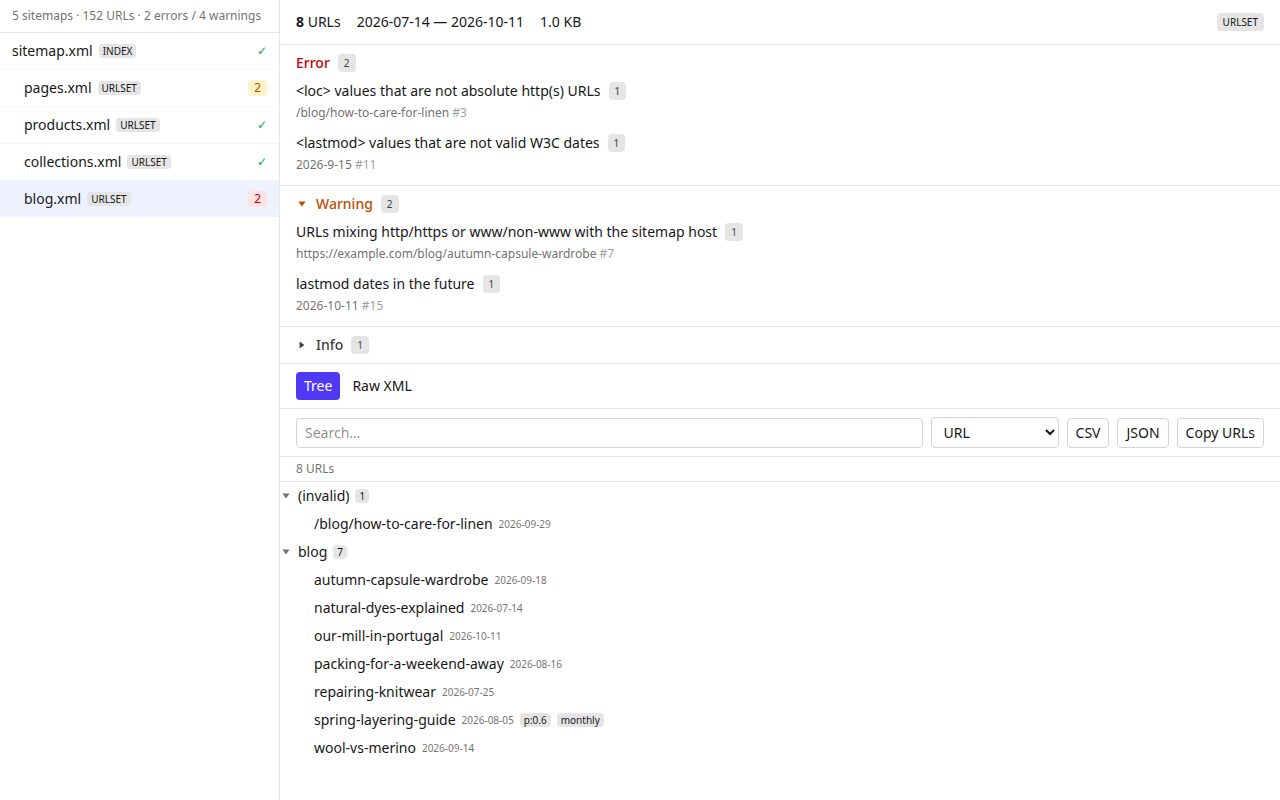
Every sitemap is checked against the sitemaps.org spec (malformed XML, missing or invalid loc values, size and URL-count limits, encoding) and against SEO best practices: duplicate URLs, tracking parameters, stale sitemaps and hreflang problems. Two checks that most validators skip:
No data leaves your browser. There are no accounts, analytics or tracking. The extension only sends requests to the site you’re inspecting, and only when you click.
Questions, bug reports or ideas: email support@lotuswebagency.com or use any channel on our contacts page.